Metadata management
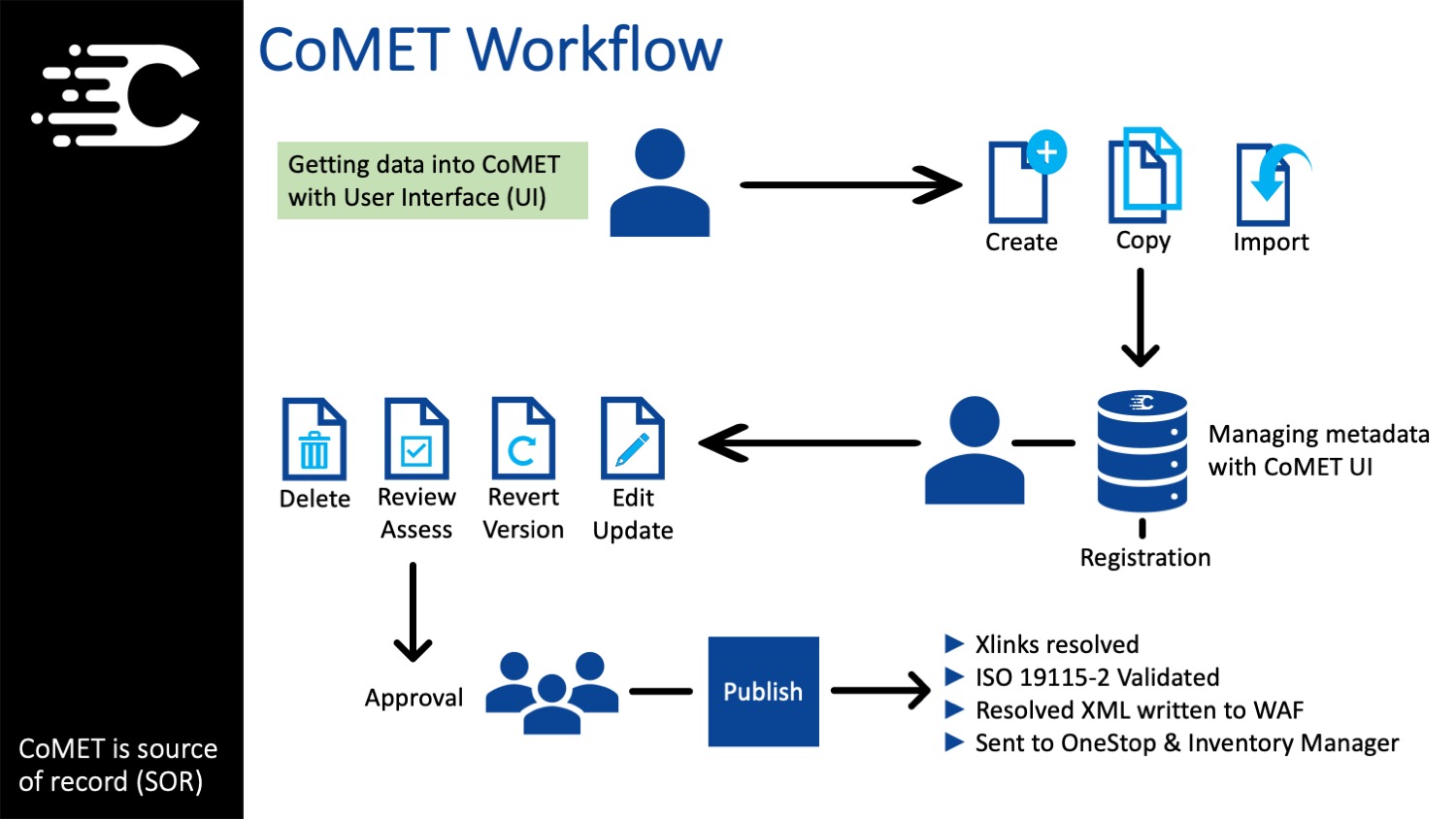
CoMET Workflow
CoMET is the source of record
All aspects of metadata management is performed using the CoMET user interface.
- Metadata is created within CoMET by importing, copying existing records, or by creating from scratch.
- Metadata is updated using the CoMET suite of editors.
- Once metadata is ready for publication, team members can go through the publication workflow.
- Once Metadata is "APPROVED", xlinks will be resolved; ISO 19115-2 will be validated; metadata will be sent to OneStop & Inventory Manager; and, Resolved XML will be written to a WAF
Hybrid Workflow
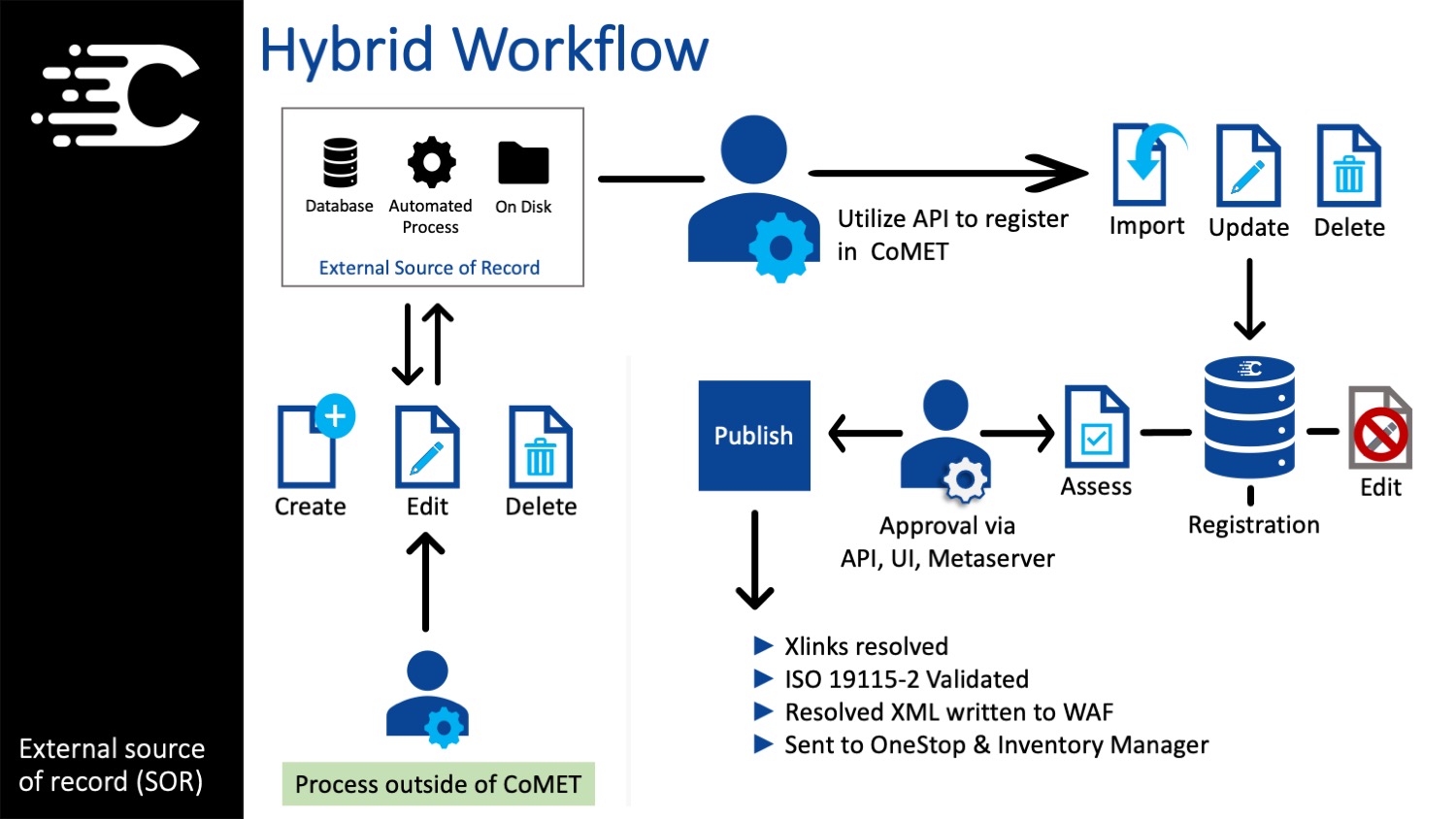
Using your own source of record
Hybrid workflows use aspects from the CoMET Workflow and the External Workflow to manage metadata records.
- Create or edit metadata outside of CoMET and use APIs to import or update metadata.
- If you choose to use a COMET editor, you must export the metadata from CoMET and replace your source files on your server/host.
- Records can be published by approving in the UI, approving using the API, or process using Metaserver configuration
- Xlinks will be resolved; ISO 19115-2 will be validated; metadata will be sent to OneStop & Inventory Manager; and, Resolved XML will be written to a WAF
External Workflow
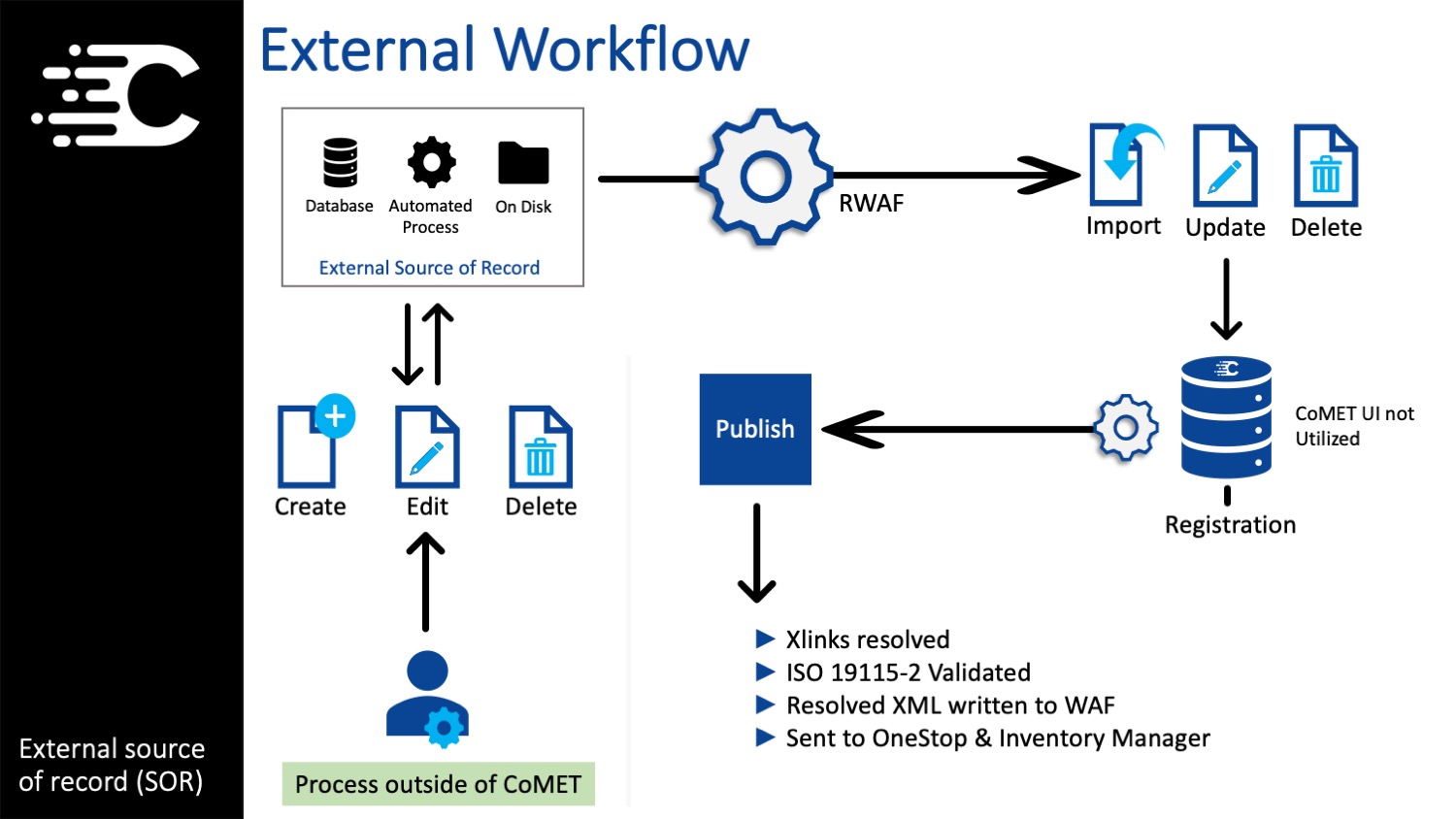
Manage all metadata outside of CoMET
External workflows don't utilize the CoMET user interface.
- Metadata generated outside of CoMET
- Edit or publication workflows do not use the CoMET user interface.
- Metaserver WAF configuration to harvest from an external source where the xml metadata files are hosted.
- WAFs can be set to different frequencies (Daily, Weekly, Monthly) or can be run ONDEMAND to get files into OneStop and WAF faster.
- Xlinks will be resolved; ISO 19115-2 will be validated; metadata will be sent to OneStop & Inventory Manager; and, Resolved XML will be written to a WAF